This page walks through Segni de l’antica fiamma one surface at a time. It is not just a captioned screenshot strip: each stop tries to explain what that surface is for, what kind of reading move it supports, and what should come next.
MAIN ENTRY
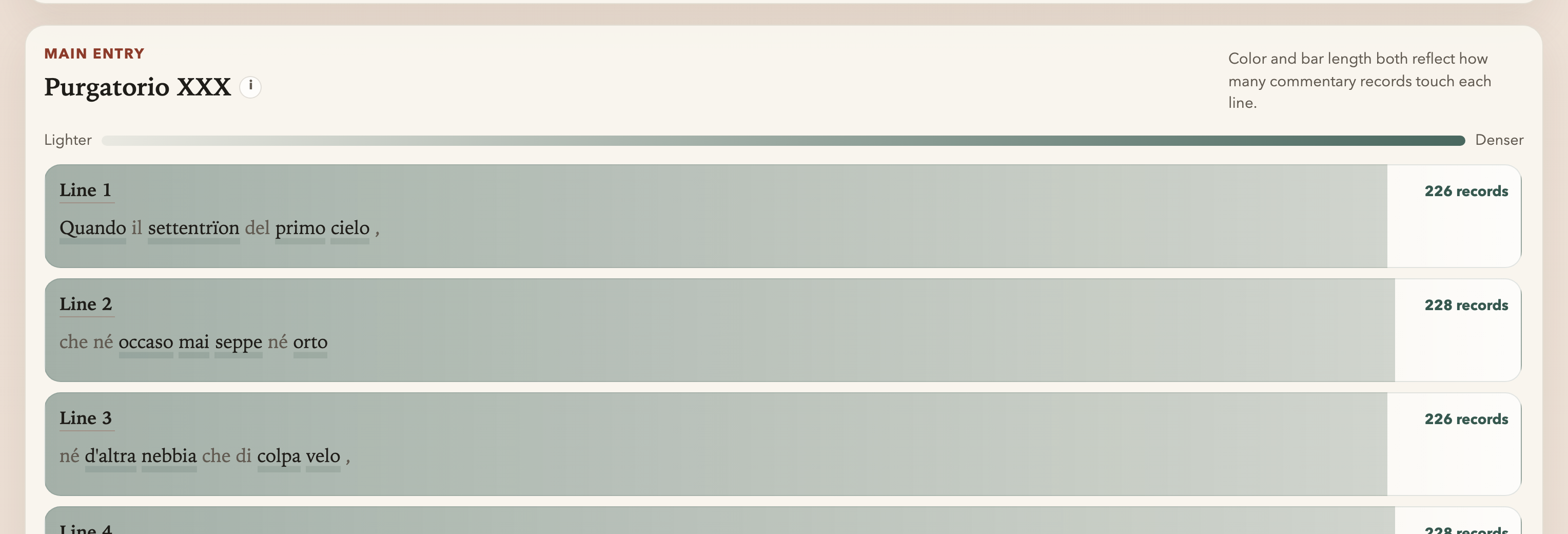
Start here after choosing a canto. Each row is a line of Dante, and the bar immediately shows where commentary density is lighter or denser.
This is the page’s first real reading surface. You are still on the poem itself, but the commentary tradition is already visible as a pressure map across the canto.
How to use it
Scan the canto vertically, notice where commentary gathers or thins out, then choose a line deliberately. This is where you decide whether to start from a dense knot, a hinge line, or a quieter transition.
ANALYSIS LAYER
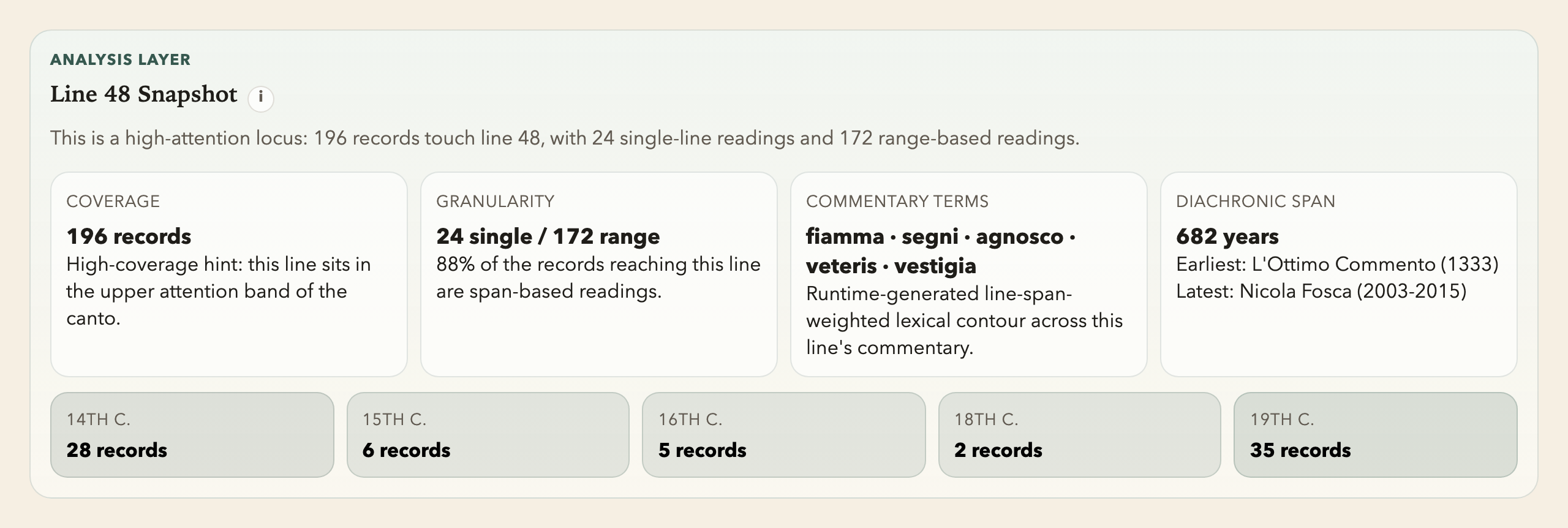
The Line Snapshot appears as soon as a line is selected. It gives the local contour before you begin reading commentary cards in detail.
Read it as orientation rather than interpretation: its job is to tell you how thick, how spread out, and how historically layered the line’s reception is before you commit to the deeper stack below.
Line 1 Snapshot
This panel is the fast orientation layer between the chosen line and the deeper reading surfaces below. It helps you decide whether the line calls for immediate card-reading, thematic clustering, or diachronic comparison.
CLOSE READING
This is the top of the commentary-reading zone. It keeps the selected line visible and prepares the card stack that follows.
The point is to keep the poem and the records on the same table. You should still feel the current line while dates, spans, summaries, and full commentary texts begin to open underneath it.

How to use it
Sort the reading stream here, keep the line context in view, and decide whether you want to stay with full cards, branch into a word route, or pin a comparison set. This is the hinge between orientation and sustained reading.
COMMENTARY
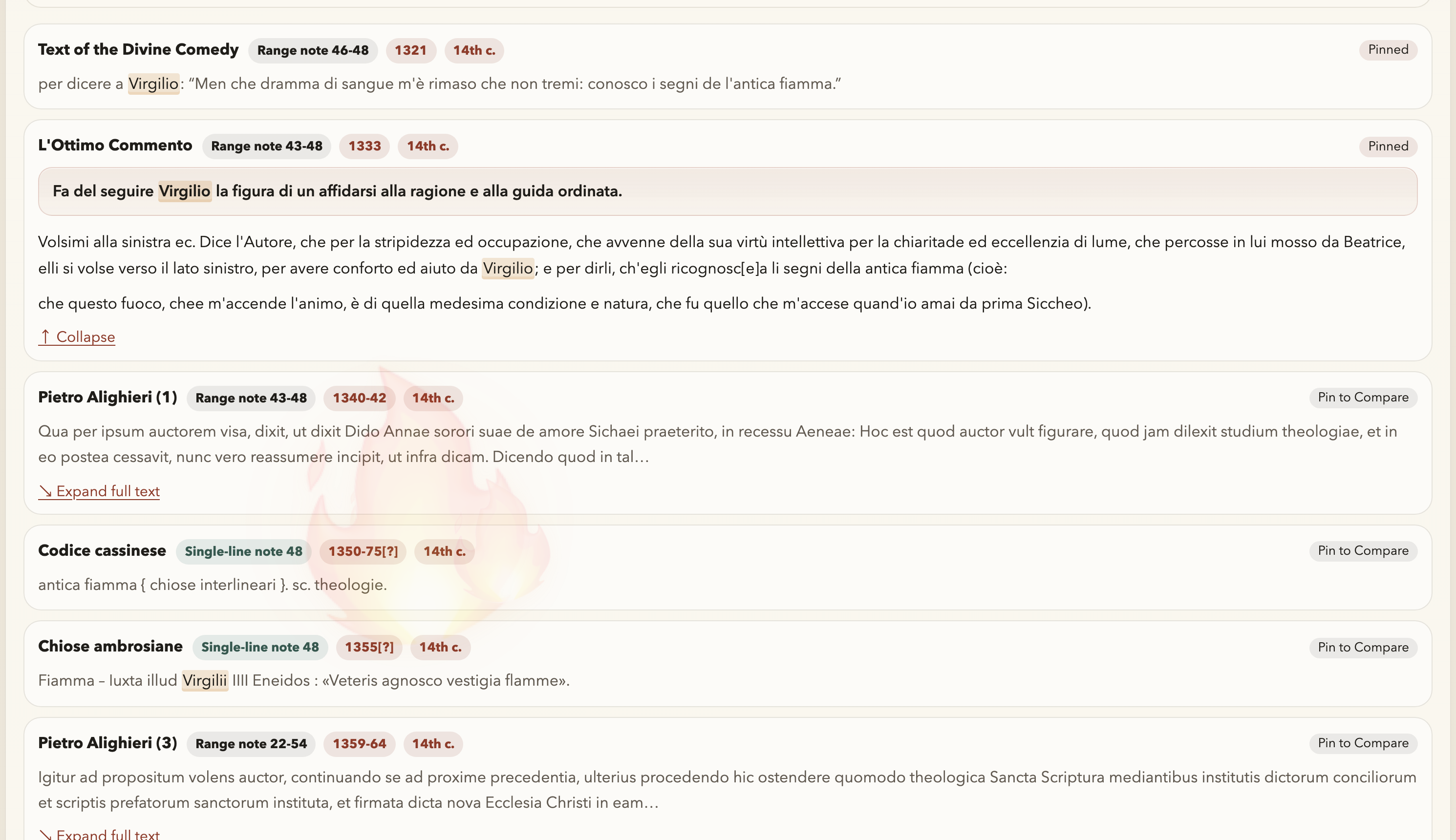
This is the commentary body itself: the cards you sort, expand, pin, and compare.
It is also where metadata stops being abstract. Commentary name, date, line span, preview, and full text all matter together because interpretation depends on provenance as well as wording.
How to use it
Read card by card, expand the text when the wording matters, and pin records whenever a line of interpretation needs to stay visible beside another. The panel is designed for sustained scholarly handling, not quick skimming.
DANTE WORD LOCUS LAYER
This route opens when you click a selectable content word in the chosen line.
Once it opens, the scale of reading changes. You are no longer asking only what happens around the line, but what can be learned by following one lexical point outward.

How to use it
Click one word, then read the word-centered panels in order rather than jumping straight back to cards. The route works best when recurrence, local context, phrase growth, and commentary uptake are allowed to accumulate step by step.
Occurrence Explorer
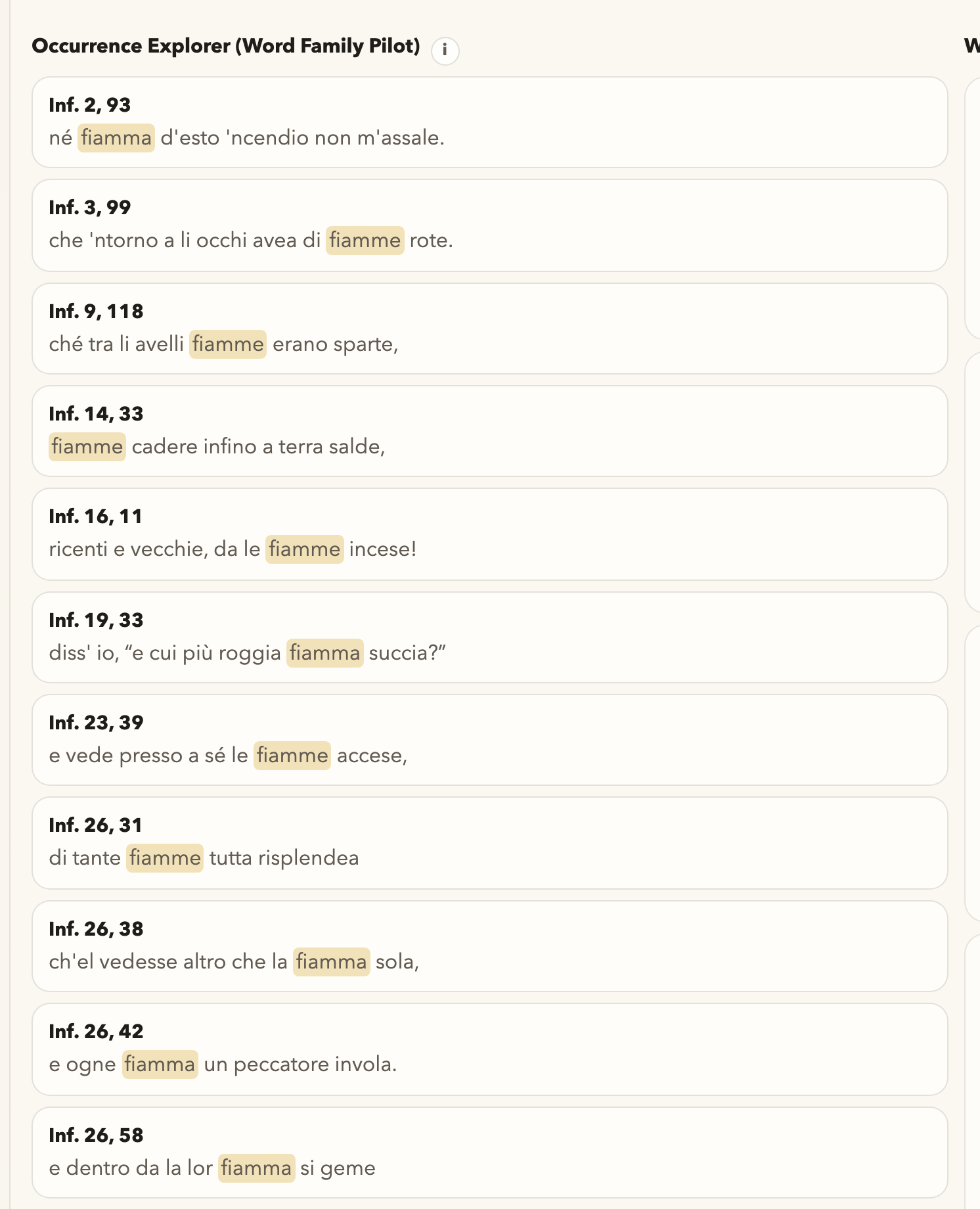
This panel shows where the chosen word comes back elsewhere in the poem.
It therefore begins with the most factual lexical question: does this form return, where, and in what distribution across the poem?
How to use it
Start with recurrence: where else does this word appear, and how does that change what the current line is doing? Exact return should usually come before broader family speculation.
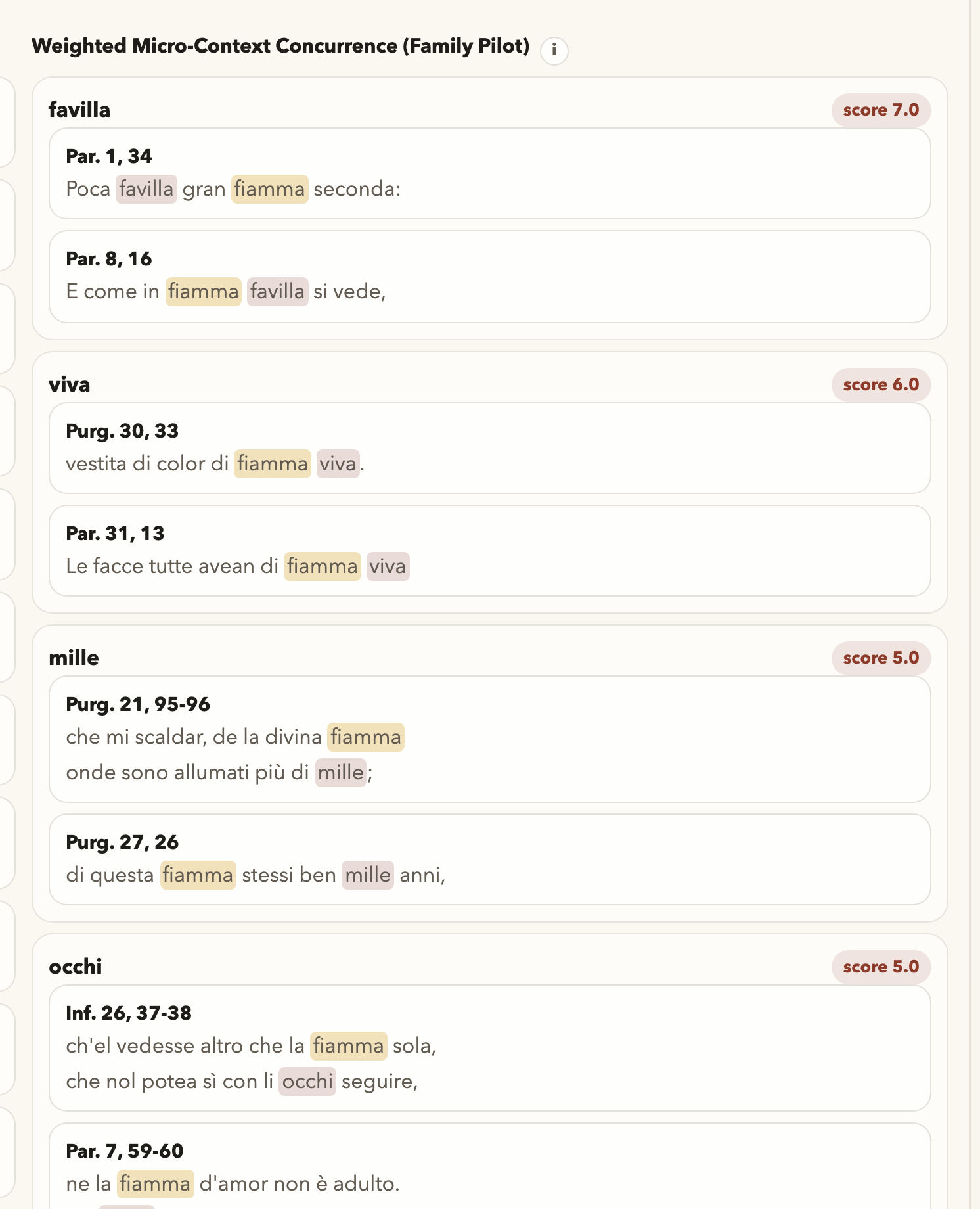
Weighted Micro-Context Concurrence
This panel asks what other words tend to gather near the chosen word in local contexts.
It stays deliberately local. The goal is to preserve neighborhood and pressure, not to dissolve the poem into a free-floating semantic cloud.
How to use it
Use it when you want to know what tends to cluster beside the chosen word in nearby poetic space.
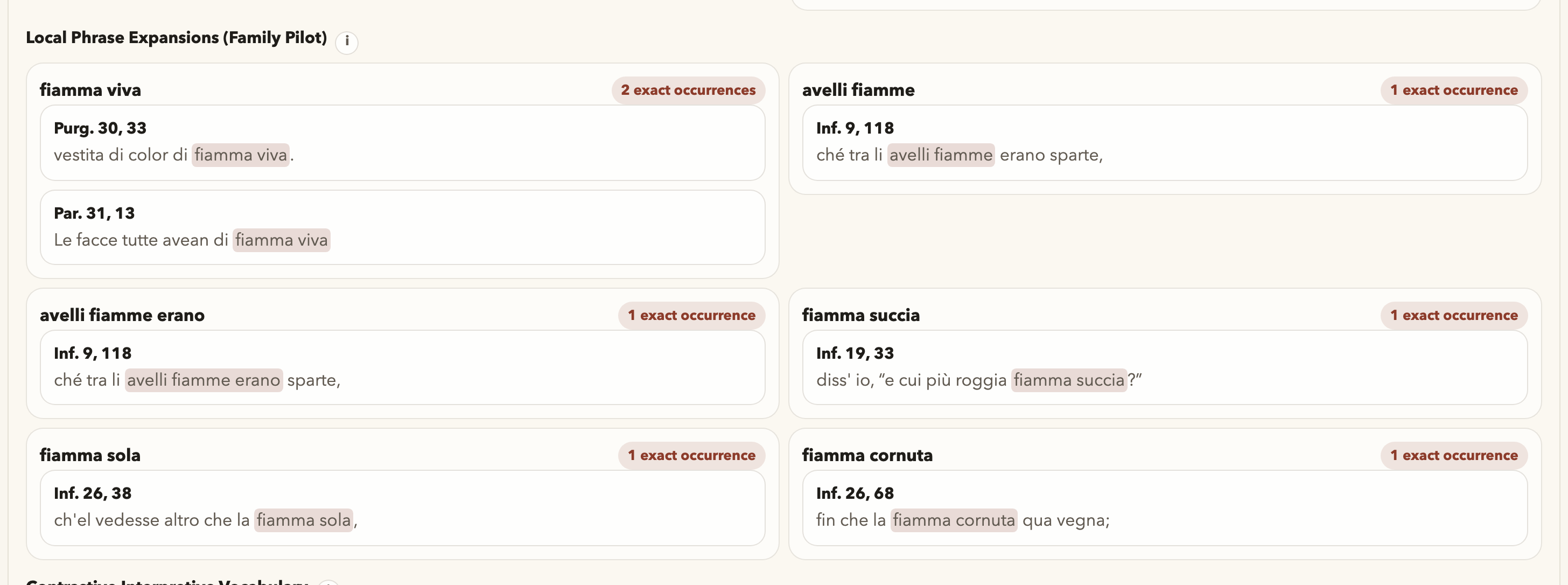
Exact Local Phrase Expansions
This panel tests whether the chosen word grows into a short phrase that reappears elsewhere.
It matters when one isolated token is not enough to carry the local structure. A recurring short phrase can often preserve a more stable poetic unit than the word alone.
How to use it
Look here when the interpretive pressure seems to come from a short repeating expression rather than one isolated word.
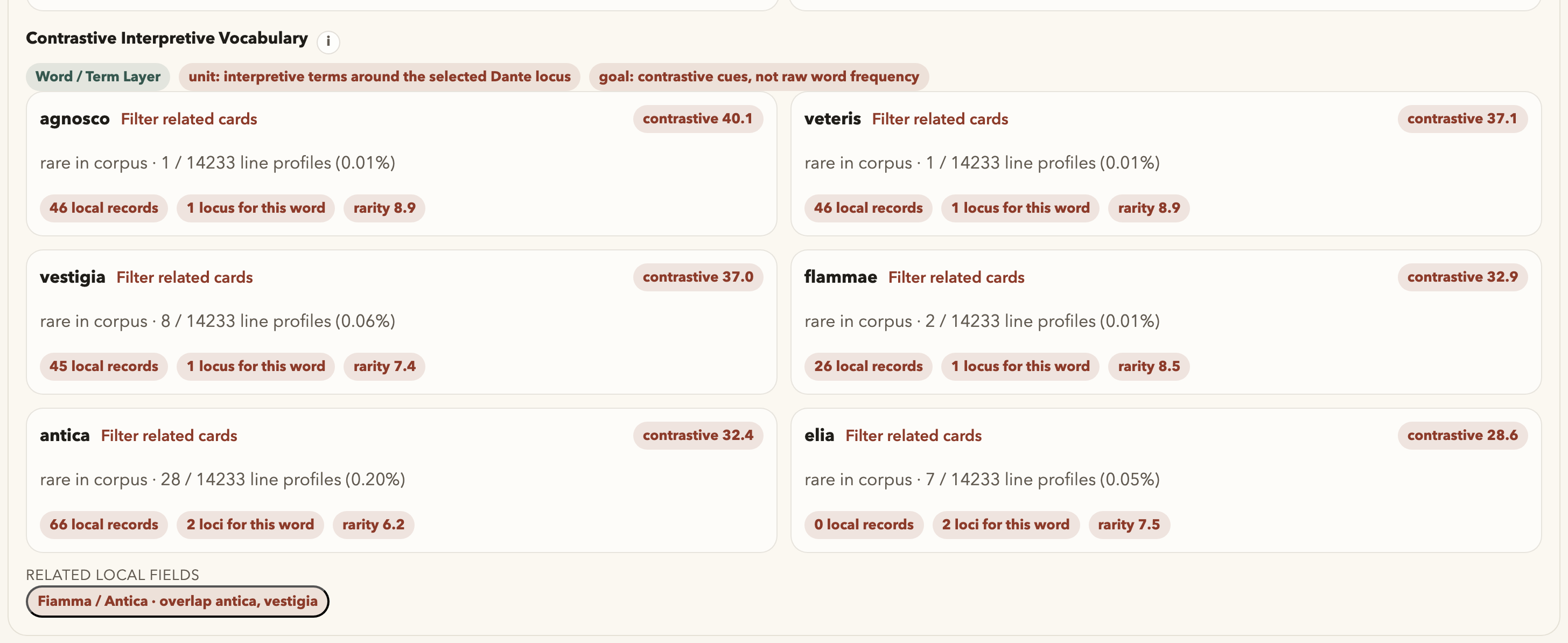
Contrastive Interpretive Vocabulary
This panel highlights interpretive vocabulary around the selected lexical focus and its nearby alternatives.
Its question is not merely which words are frequent, but which commentary-side terms become more meaningful around this lexical locus than around nearby alternatives.
How to use it
Read this when you want a word-centered interpretive contrast, not just recurrence counts.
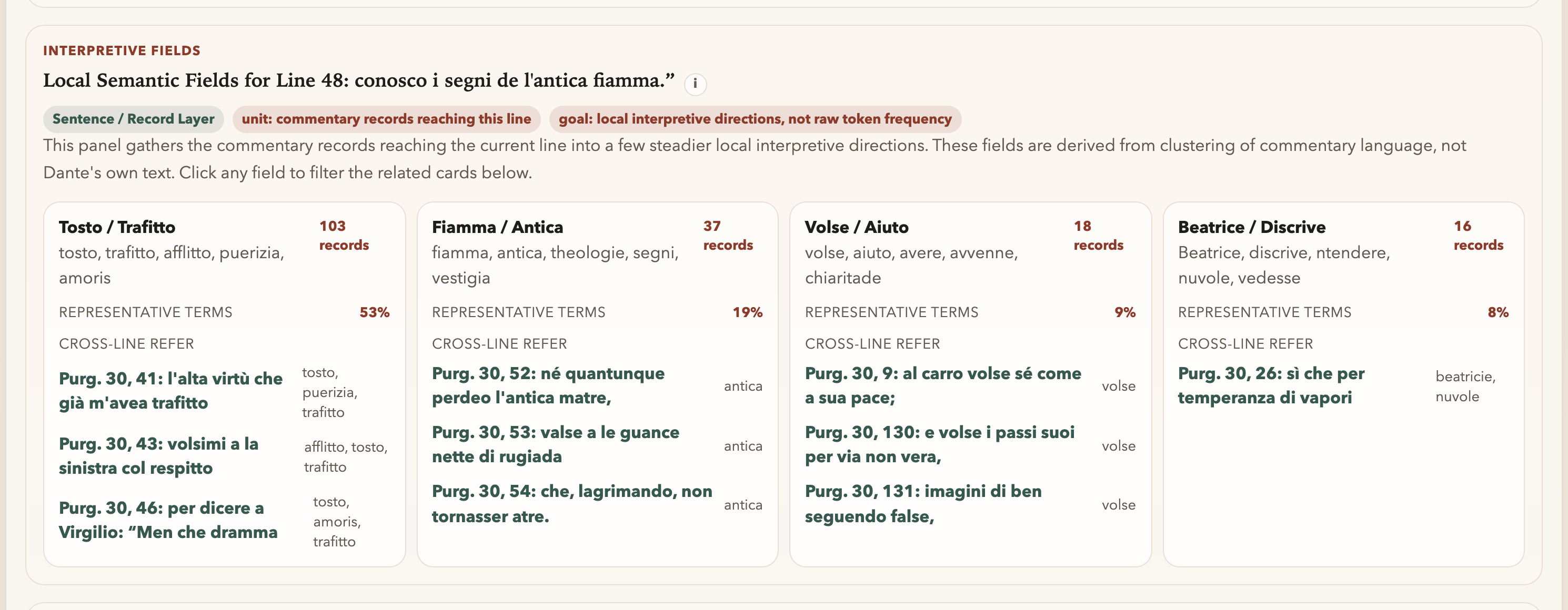
INTERPRETIVE FIELDS
The semantic panel groups the current line’s commentary into local semantic fields.
Read these fields as commentary-side groupings rather than as final names for Dante’s meaning. They are meant to help you re-enter the card stack through a more stable local pattern.
Local Semantic Fields for Line
This is still line-local. It does not replace the cards; it gives you another way to enter them.
CROSS-CANTO ECHOES
This panel follows the current line outward across the poem when echoes begin to matter.
In Segni de l’antica fiamma it remains a text-first widening move. Shared wording and nearby poetic context come before commentary support, so the echoed line still has to earn interpretive attention.
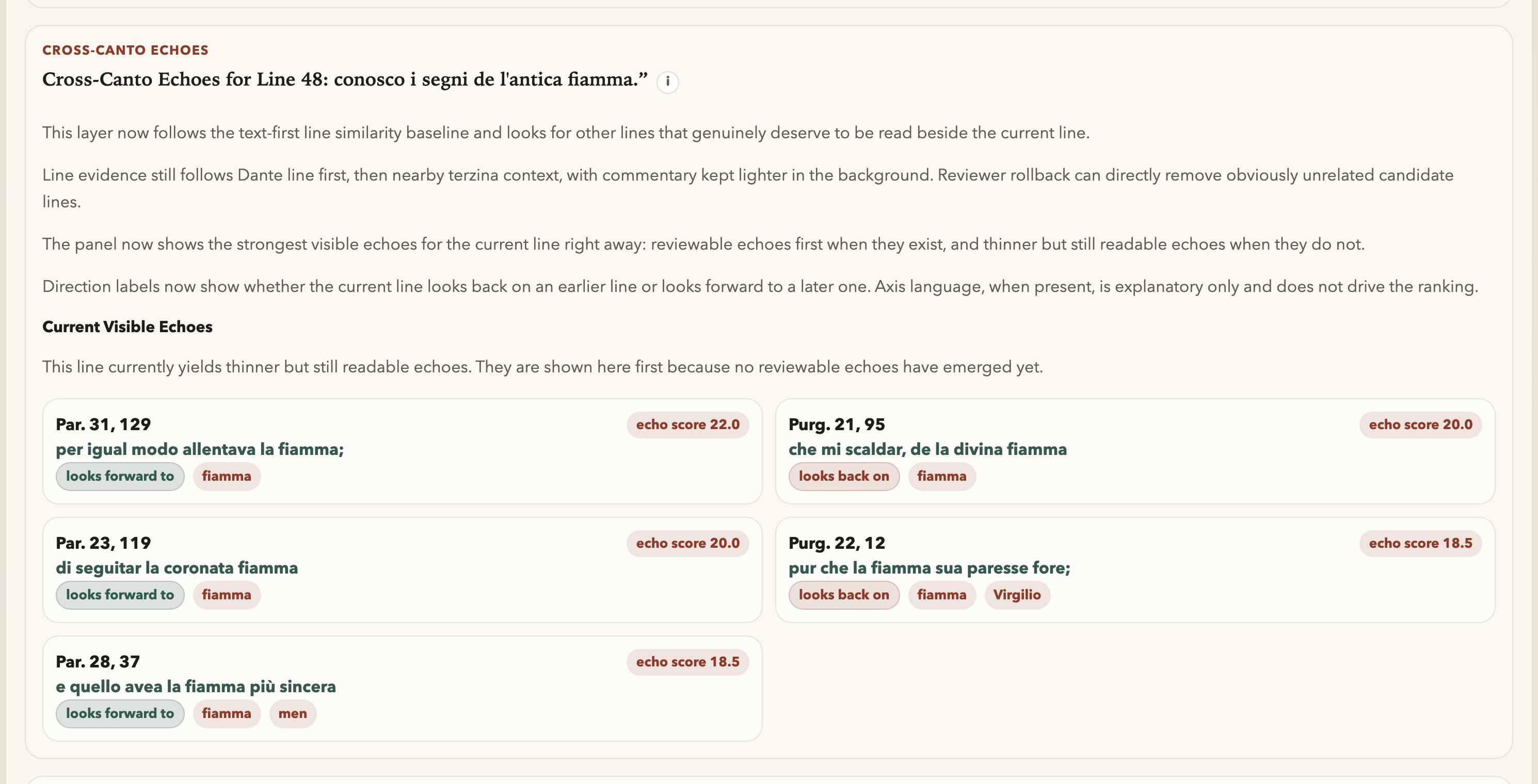
Cross-Canto Echoes for Line
Read this after the local line is already clear; it is the widening move, not the opening move.
COMPARE
Compare becomes useful after you pin commentary cards and need them to stay visible side by side.
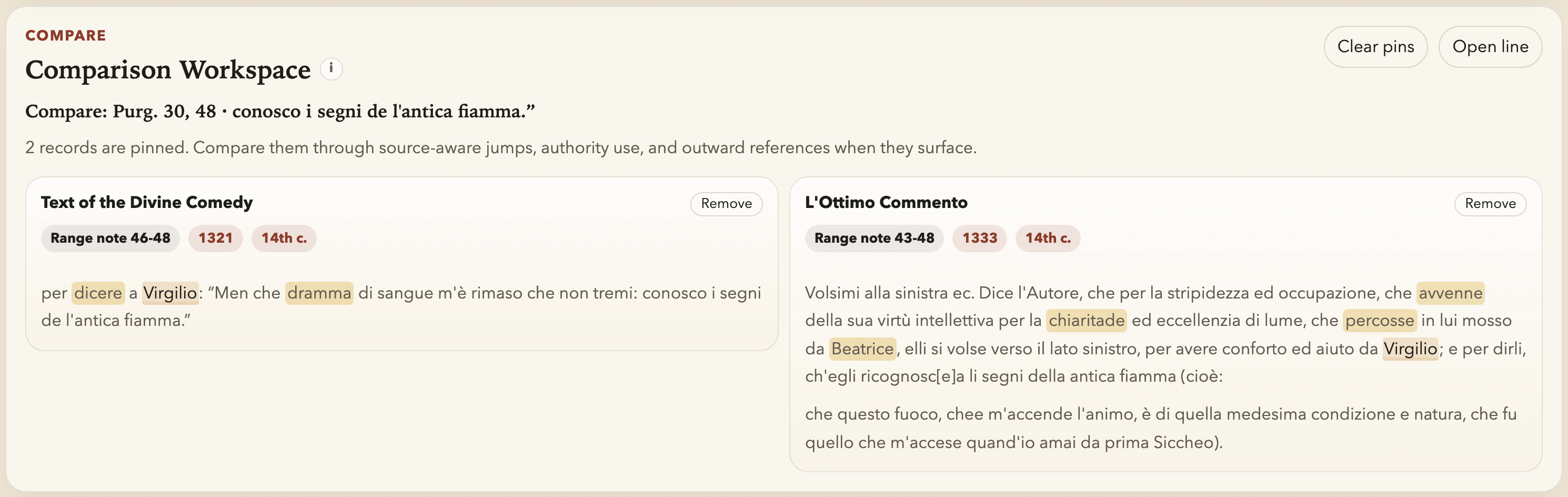
How to use it
This is the place for parallel reading: several records, one workspace, and less dependence on memory alone.
AUTHORITY
Authority now begins from the selected line and then widens through three scopes: Line, Canto Map, and Full Authority Page.
Use it when the local question becomes: which authorities, works, personaggi, and cited traditions are visible in the commentary records touching this line, and how far can that route honestly travel?
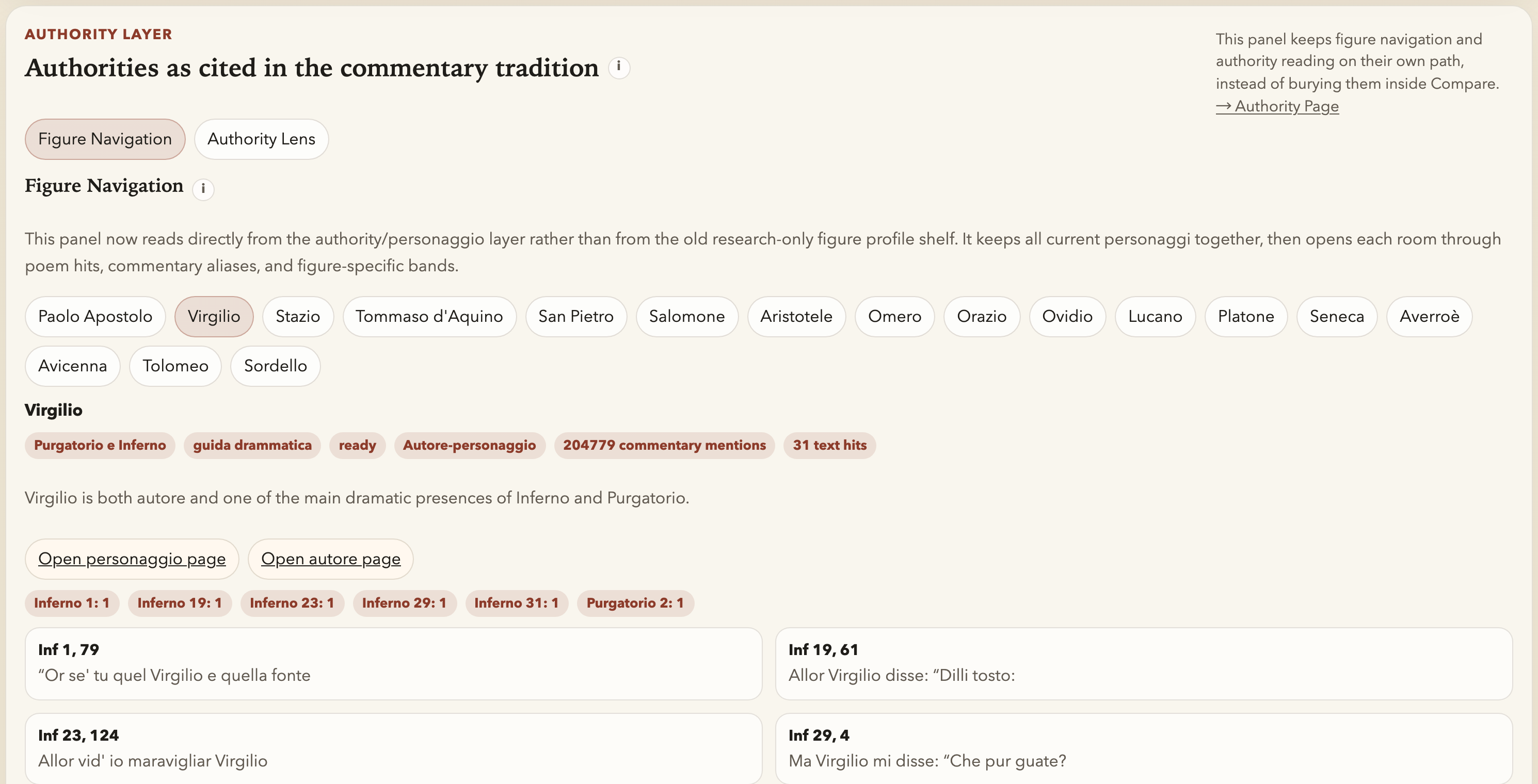
Line
Read the line card first. Authority names and work chips summarize commentary records reaching the selected line. A work chip opens the filtered record list behind its count; Open in reader opens one commentary record.
Canto Map
Switch to Canto Map when you want to see where the same authority gathers across the whole canto, and which lines carry the strongest local signals.
Full Authority Page
Use the full room when the reading has moved beyond one line into an author or personaggio environment: text hits, commentary witnesses, work layers, and static rooms where those objects are mounted.